PLUGINS THAT I USE
Over time I’ve built a small ecosystem of plugins that help handle the technical heavy lifting behind my rigs.
Advance Skeleton
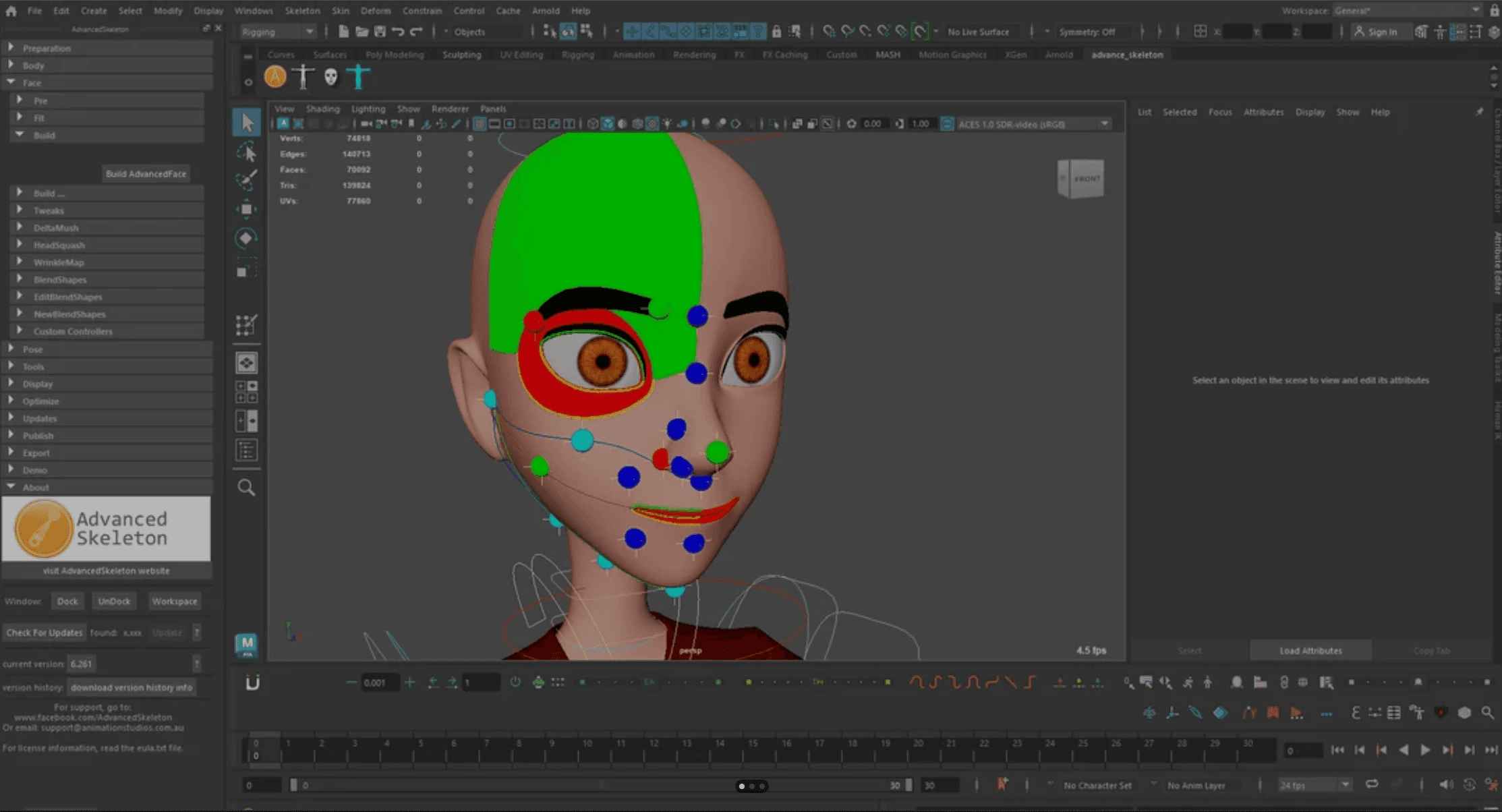
Advanced Skeleton is a rigging framework for Autodesk Maya designed to automate a large portion of the technical setup required to build a character rig. Starting from a guide system, it can generate the skeleton hierarchy, controller structures, IK/FK systems, stretching behaviour, and even facial rigs with lipsync and blendshape support.
One of its strongest features is that rigs can be rebuilt at any moment, which is extremely useful in production when character models change during development.
In my workflow, I mainly use it to establish a solid structural base for the rig. It takes care of the repetitive groundwork like controller hierarchies and basic systems. From there, I usually step in and extend the rig manually, adding custom behaviours, refining deformation setups, and implementing solutions that depend on the specific character. In other words, it handles the engineering foundation so I can focus on the parts of rigging that require more artistic and technical decisions.
NG Skin tools
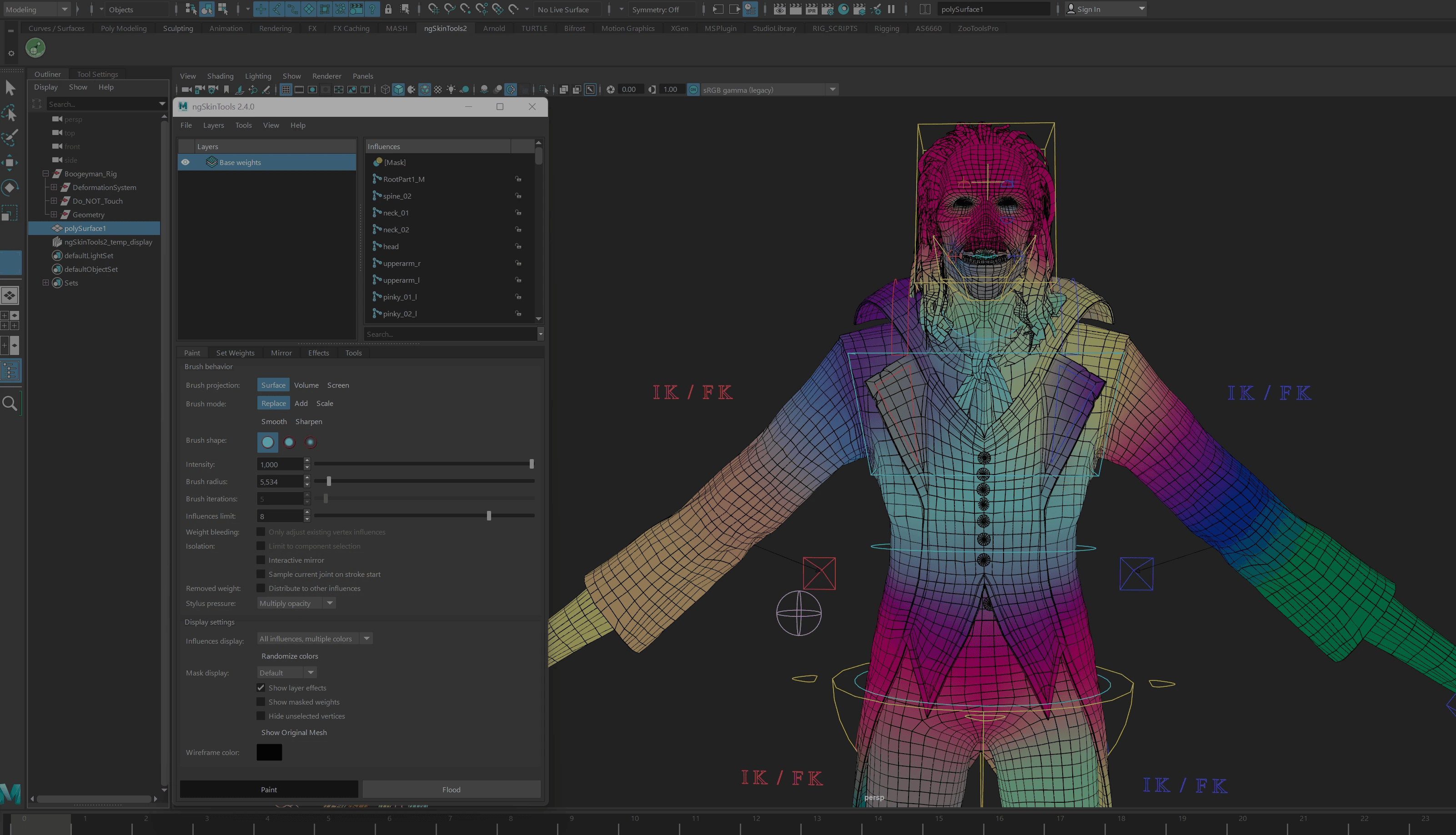
ngSkinTools is an advanced skinning plugin that completely improves the weight painting workflow in Maya.
Its layered skinning system allows weights to be organized in layers rather than edited destructively, making it much easier to experiment and refine deformation. Combined with better brushes, smoothing tools, and pose-independent mirroring, it gives far more control than Maya’s default skinning tools.
Like most of the plugins in my workflow, it’s mainly about saving time and reducing friction. Skinning complex characters can easily become one of the most time-consuming parts of rigging, and tools like this make the process significantly faster and more manageable.
zoo tools pro 2
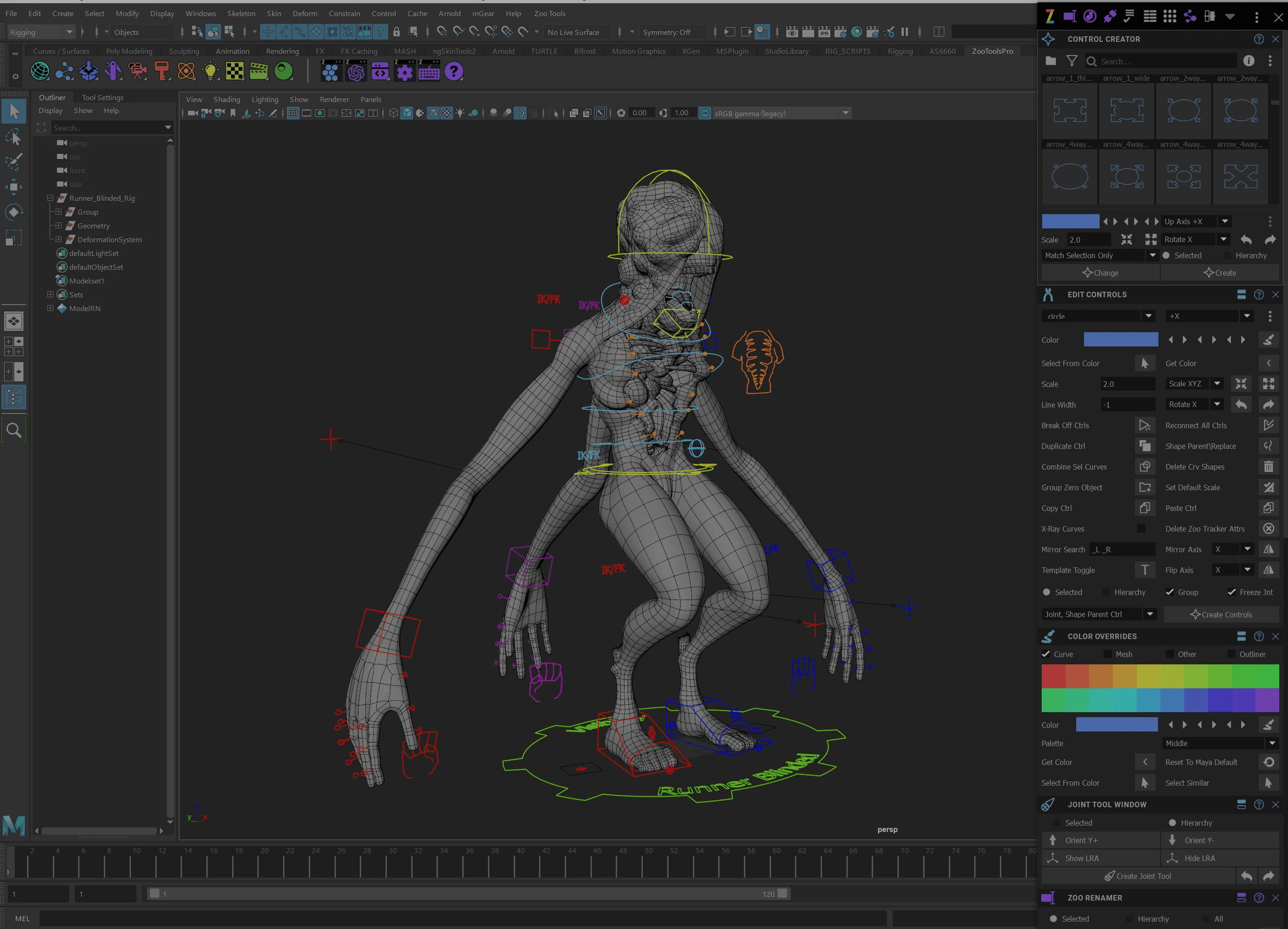
Zoo Tools Pro 2 is a broad toolkit that expands Maya with utilities covering many different areas of 3D production, including modeling, lighting, animation, rigging, and general workflow improvements.
Within rigging, it provides practical tools for tasks like joint creation, curve and control customization, rig utilities, and scene management. These kinds of operations appear constantly while building rigs, so having quick access to them helps speed up many small steps that would otherwise take longer to perform manually.
Rather than replacing rigging workflows, it acts more like a productivity layer on top of Maya, helping streamline everyday tasks across the entire pipeline.
metahuman creator
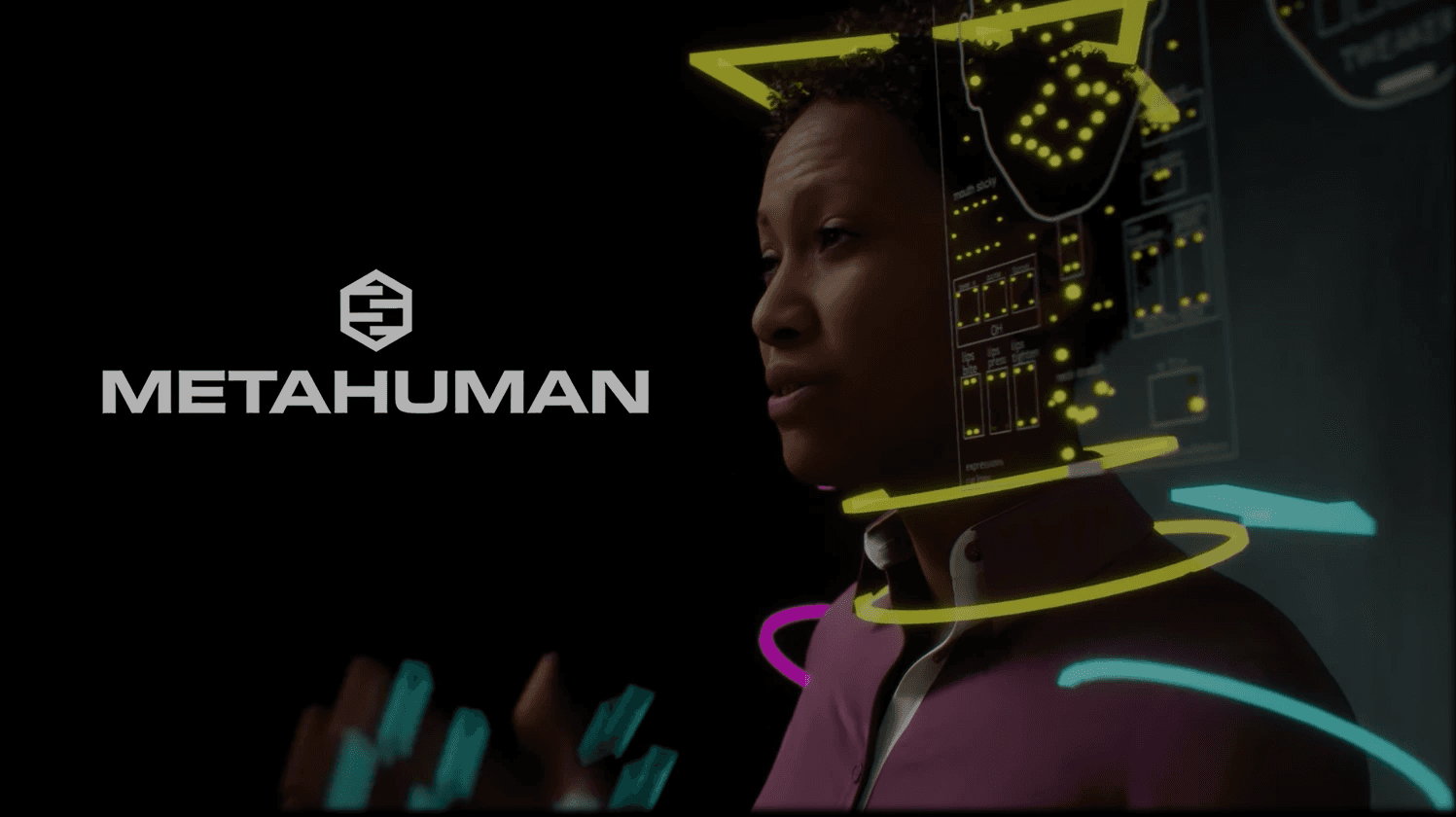
The MetaHuman ecosystem created by Epic Games allows highly realistic digital humans created in Unreal Engine to be transferred into Maya for further work.
These characters arrive with production-ready topology and advanced facial structures, saving huge amounts of setup time for realistic humans. In my workflow, they can be easily integrated with Advanced Skeleton, allowing the body rig to connect seamlessly while still giving me full control to implement custom deformation, facial tweaks, or animation-ready adjustments.
In practice, MetaHumans can be used as a production-ready starting point for cinematic characters, real-time projects, or visual productions where realistic humans are required. Once inside Maya, they can be adapted, customized, or integrated into different rigging pipelines depending on the needs of the project.
Btw, advance skeleton is fully compatible metahuman
anim school picker
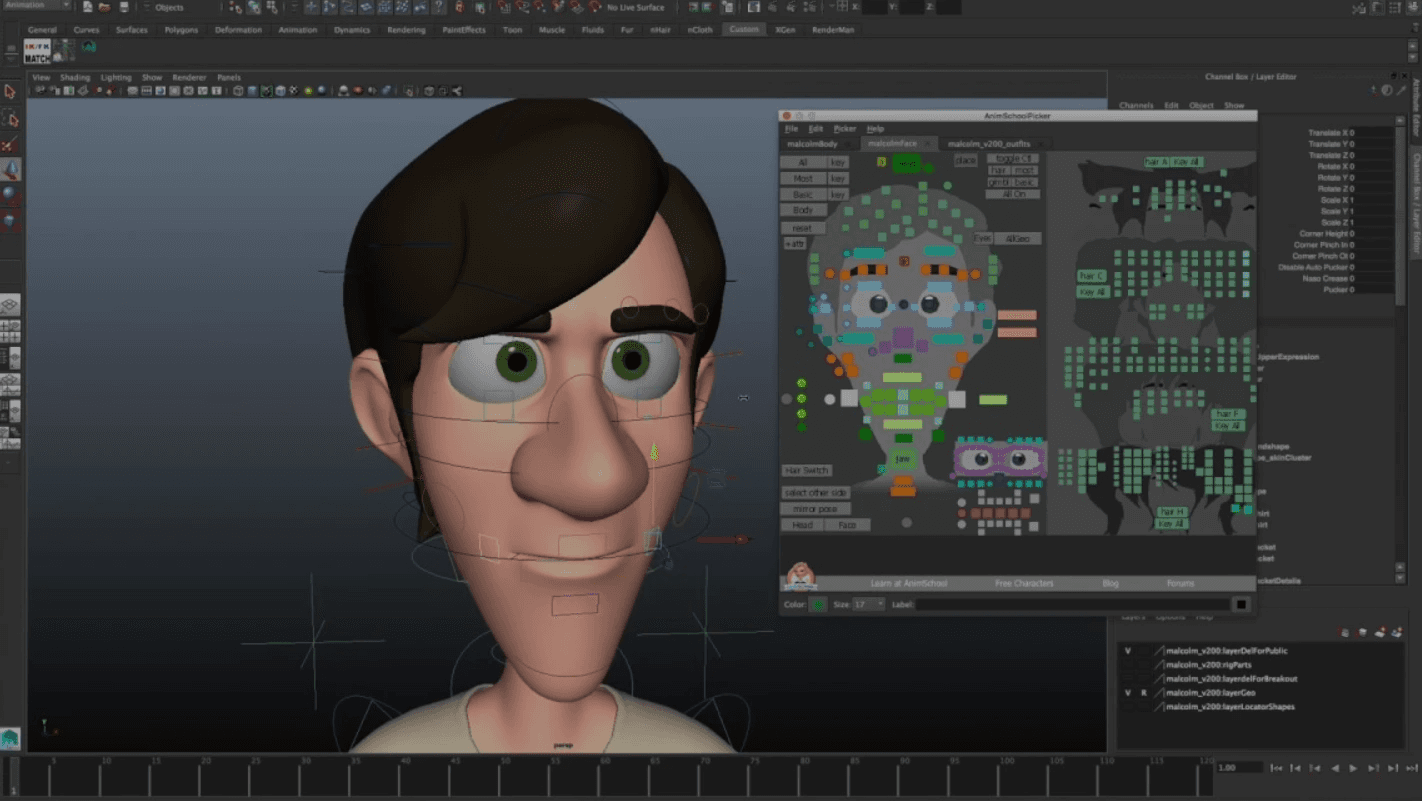
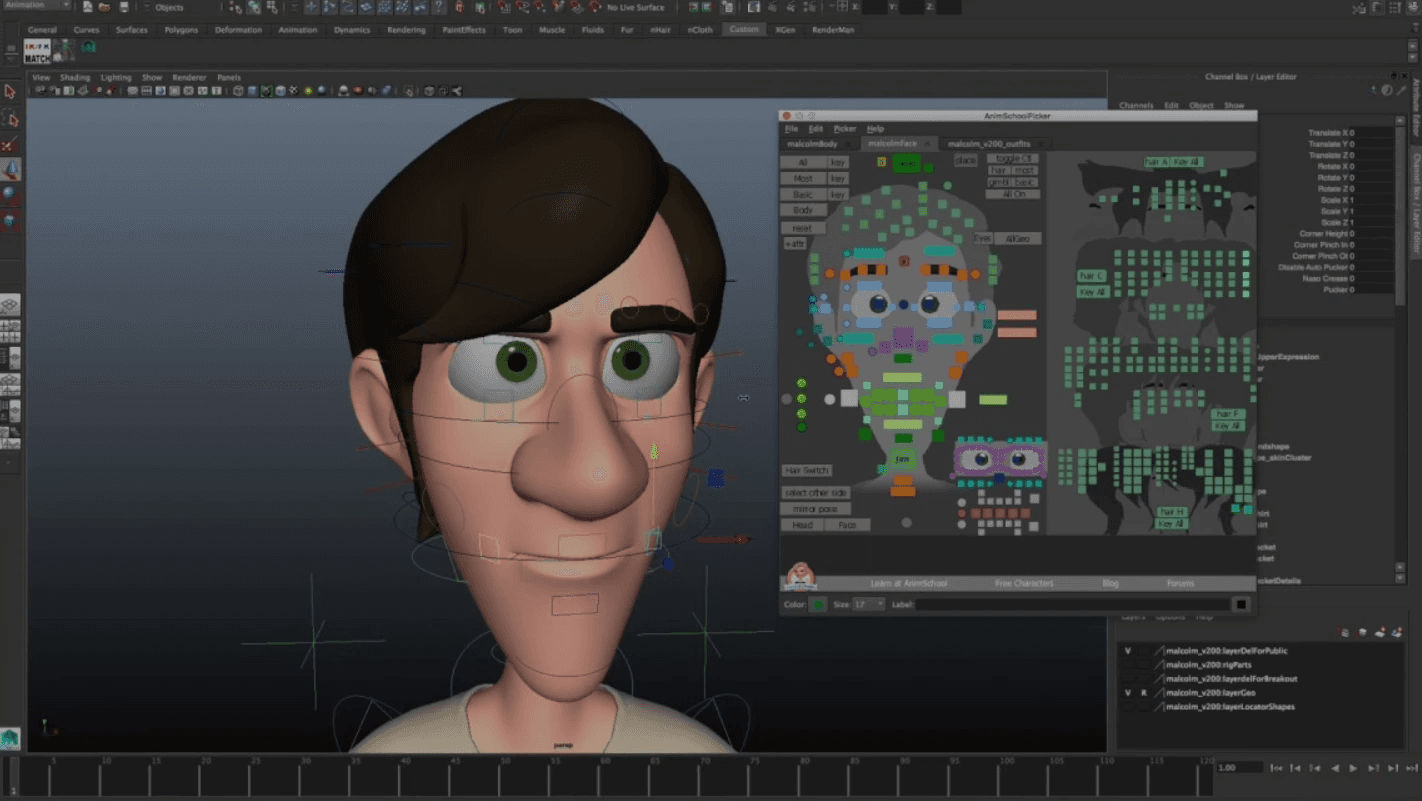
AnimSchool Picker is a visual control interface that allows animators to interact with rigs through a graphical panel rather than selecting controls directly in the viewport.
Each button corresponds to a rig control, making it easier to locate and select elements quickly. This becomes especially useful on complex characters with large numbers of controls, where navigating the rig directly in the viewport can become inefficient.
By organizing controls visually, the picker helps make rigs clearer and more intuitive for animators working with them.
more to explore
PLUGINS THAT I USE
Over time I’ve built a small ecosystem of plugins that help handle the technical heavy lifting behind my rigs.
Advance Skeleton
Advanced Skeleton is a rigging framework for Autodesk Maya designed to automate a large portion of the technical setup required to build a character rig. Starting from a guide system, it can generate the skeleton hierarchy, controller structures, IK/FK systems, stretching behaviour, and even facial rigs with lipsync and blendshape support.
One of its strongest features is that rigs can be rebuilt at any moment, which is extremely useful in production when character models change during development.
In my workflow, I mainly use it to establish a solid structural base for the rig. It takes care of the repetitive groundwork like controller hierarchies and basic systems. From there, I usually step in and extend the rig manually, adding custom behaviours, refining deformation setups, and implementing solutions that depend on the specific character. In other words, it handles the engineering foundation so I can focus on the parts of rigging that require more artistic and technical decisions.
NG Skin tools
ngSkinTools is an advanced skinning plugin that completely improves the weight painting workflow in Maya.
Its layered skinning system allows weights to be organized in layers rather than edited destructively, making it much easier to experiment and refine deformation. Combined with better brushes, smoothing tools, and pose-independent mirroring, it gives far more control than Maya’s default skinning tools.
Like most of the plugins in my workflow, it’s mainly about saving time and reducing friction. Skinning complex characters can easily become one of the most time-consuming parts of rigging, and tools like this make the process significantly faster and more manageable.
zoo tools pro 2
Zoo Tools Pro 2 is a broad toolkit that expands Maya with utilities covering many different areas of 3D production, including modeling, lighting, animation, rigging, and general workflow improvements.
Within rigging, it provides practical tools for tasks like joint creation, curve and control customization, rig utilities, and scene management. These kinds of operations appear constantly while building rigs, so having quick access to them helps speed up many small steps that would otherwise take longer to perform manually.
Rather than replacing rigging workflows, it acts more like a productivity layer on top of Maya, helping streamline everyday tasks across the entire pipeline.
metahuman creator
The MetaHuman ecosystem created by Epic Games allows highly realistic digital humans created in Unreal Engine to be transferred into Maya for further work.
These characters arrive with production-ready topology and advanced facial structures, saving huge amounts of setup time for realistic humans. In my workflow, they can be easily integrated with Advanced Skeleton, allowing the body rig to connect seamlessly while still giving me full control to implement custom deformation, facial tweaks, or animation-ready adjustments.
In practice, MetaHumans can be used as a production-ready starting point for cinematic characters, real-time projects, or visual productions where realistic humans are required. Once inside Maya, they can be adapted, customized, or integrated into different rigging pipelines depending on the needs of the project.
Btw, advance skeleton is fully compatible metahuman
anim school picker
AnimSchool Picker is a visual control interface that allows animators to interact with rigs through a graphical panel rather than selecting controls directly in the viewport.
Each button corresponds to a rig control, making it easier to locate and select elements quickly. This becomes especially useful on complex characters with large numbers of controls, where navigating the rig directly in the viewport can become inefficient.
By organizing controls visually, the picker helps make rigs clearer and more intuitive for animators working with them.
more to explore
PLUGINS THAT I USE
Over time I’ve built a small ecosystem of plugins that help handle the technical heavy lifting behind my rigs.
Advance Skeleton
Advanced Skeleton is a rigging framework for Autodesk Maya designed to automate a large portion of the technical setup required to build a character rig. Starting from a guide system, it can generate the skeleton hierarchy, controller structures, IK/FK systems, stretching behaviour, and even facial rigs with lipsync and blendshape support.
One of its strongest features is that rigs can be rebuilt at any moment, which is extremely useful in production when character models change during development.
In my workflow, I mainly use it to establish a solid structural base for the rig. It takes care of the repetitive groundwork like controller hierarchies and basic systems. From there, I usually step in and extend the rig manually, adding custom behaviours, refining deformation setups, and implementing solutions that depend on the specific character. In other words, it handles the engineering foundation so I can focus on the parts of rigging that require more artistic and technical decisions.
NG Skin tools
ngSkinTools is an advanced skinning plugin that completely improves the weight painting workflow in Maya.
Its layered skinning system allows weights to be organized in layers rather than edited destructively, making it much easier to experiment and refine deformation. Combined with better brushes, smoothing tools, and pose-independent mirroring, it gives far more control than Maya’s default skinning tools.
Like most of the plugins in my workflow, it’s mainly about saving time and reducing friction. Skinning complex characters can easily become one of the most time-consuming parts of rigging, and tools like this make the process significantly faster and more manageable.
zoo tools pro 2
Zoo Tools Pro 2 is a broad toolkit that expands Maya with utilities covering many different areas of 3D production, including modeling, lighting, animation, rigging, and general workflow improvements.
Within rigging, it provides practical tools for tasks like joint creation, curve and control customization, rig utilities, and scene management. These kinds of operations appear constantly while building rigs, so having quick access to them helps speed up many small steps that would otherwise take longer to perform manually.
Rather than replacing rigging workflows, it acts more like a productivity layer on top of Maya, helping streamline everyday tasks across the entire pipeline.
metahuman creator
The MetaHuman ecosystem created by Epic Games allows highly realistic digital humans created in Unreal Engine to be transferred into Maya for further work.
These characters arrive with production-ready topology and advanced facial structures, saving huge amounts of setup time for realistic humans. In my workflow, they can be easily integrated with Advanced Skeleton, allowing the body rig to connect seamlessly while still giving me full control to implement custom deformation, facial tweaks, or animation-ready adjustments.
In practice, MetaHumans can be used as a production-ready starting point for cinematic characters, real-time projects, or visual productions where realistic humans are required. Once inside Maya, they can be adapted, customized, or integrated into different rigging pipelines depending on the needs of the project.
Btw, advance skeleton is fully compatible metahuman
anim school picker
AnimSchool Picker is a visual control interface that allows animators to interact with rigs through a graphical panel rather than selecting controls directly in the viewport.
Each button corresponds to a rig control, making it easier to locate and select elements quickly. This becomes especially useful on complex characters with large numbers of controls, where navigating the rig directly in the viewport can become inefficient.
By organizing controls visually, the picker helps make rigs clearer and more intuitive for animators working with them.